Best Coding Robots for Kids of 2026
Seven coding robots ranked on what each age can actually learn with them, from color tiles at 4 to Python at 14, with owner ratings and the 2026 LEGO change explained.
By , research by the BestBots team · Updated Oct 19, 2026
Fact checked against each company's published pricing, documentation and verified user ratings. How we score
Wonder Workshop Dash is the best coding robot for most kids, because it works out of the box, reacts to voices and obstacles and grows from simple Wonder app puzzles to Blockly from age 6 to 11. Pick Botley 2.0 or Sphero indi for screen free coding at 4 to 7, and Sphero BOLT+ for kids heading toward Python.
Our top picks


How to choose
Start with the age, then the screen question, then the ceiling.
- Ages 4 to 7: pick a screen free robot. A child this age learns sequencing best by placing tiles (Sphero indi) or pressing arrows on a remote (Botley 2.0). Apps add little at this stage.
- Ages 6 to 11: block coding on a tablet. Dash is the friendliest robot for this range; Sphero Mini is the cheaper entry to the same kind of coding.
- Ages 8 to 16: look for a Python path. Sphero BOLT+ runs Draw, Blocks, Python and JavaScript; mBot2 runs blocks and Python on a robot your kid builds.
- Builders: if your child would rather assemble than drive, mBot2 or the LEGO CS & AI kits beat any sealed robot.
- Ceiling: the robots that last are the ones with a long path. BOLT+ lists grades 3 to 10 and Dash lists ages 5 to 14. Botley and indi are outgrown around 8.
Our picks, in detail
- Ages
- 5 to 14 per Wonder Workshop; 6 to 11 per the Amazon listing
- Coding
- Blockly, Wonder, Blockly Pro and Path apps
- Screen needed
- Yes, tablet, phone or Chromebook; no internet needed once apps are installed
- Battery
- About 5 hours of active play; charges in under an hour; not user replaceable
Dash needs no assembly, reacts to voices and the direction of sounds, sees obstacles front and back and runs about 5 hours per charge. Kids start in Wonder and Blockly and keep going for years; Wonder Workshop says Dash is used in 40,000+ schools. It holds 4.6 on Amazon from 2,260 ratings.
Pros
- No assembly; works out of the box
- Responds to voice and sound direction
- Up to 5 hours of play per charge
- 4.6 on Amazon from 2,260 ratings
Cons
- Battery is not user replaceable
- Apps rate 4.1 to 4.3 on the App Store
- Accessories (launcher, gripper) cost extra
Skip it if your child is under 5 or already wants text coding.
- Ages
- Grades 3 to 10
- Coding
- Draw, Blocks, Python and JavaScript in Sphero Edu
- Screen needed
- Yes: iOS, Android, Windows, macOS, ChromeOS or a browser
- Battery
- All day battery per Sphero; Qi wireless charging
BOLT+ covers the longest path of any robot here: Draw and Blocks for a third grader, then Python and JavaScript on the same robot through grade 10. It adds an LCD screen with 650+ graphics, a waterproof shell and Qi wireless charging.
Pros
- Blocks to Python and JavaScript on one robot
- Waterproof shell and wireless charging
- LCD screen shows animations and live sensor data
- Free standards aligned lessons in Sphero Central
Cons
- Needs a phone, tablet or computer
- Only 65 Amazon ratings for BOLT+ so far
- Nothing to build; it is a sealed ball
Skip it if you want something to build; BOLT+ is a sealed ball.
- Ages
- 5 to 7 (per the Amazon listing title)
- Coding
- Screen free: remote programmer plus 40 coding cards; multi step paths, 45 degree turns, 16 secret codes
- Screen needed
- No
- Battery
- Not published
Botley 2.0 is coded with a handheld remote and 40 coding cards, so a kindergartner learns sequences, loops and 45 degree turns without any screen. The 78 piece set includes boards and obstacles for mazes, and it holds 4.5 on Amazon from 1,901 ratings.
Pros
- No phone, tablet or app needed
- Remote programmer teaches sequencing directly
- 78 piece set builds mazes out of the box
- 4.5 on Amazon from 1,901 ratings
Cons
- Outgrown by about age 8
- No block or text coding path
- Learning Resources product pages blocked our fetch, so specs here come from the Amazon listing
Skip it if for kids 8 and up; they outgrow it quickly.
- Ages
- Pre K to grade 3 (ages 4+)
- Coding
- 20 color tiles as instructions; simplified blocks in Sphero Edu Jr
- Screen needed
- No for tiles; optional app
- Battery
- Rechargeable over USB; all day battery per Amazon listing
indi reads rubber color tiles as instructions, so a 4 year old builds a program with their hands and watches the car follow it. The student kit includes 20 tiles and 15 challenge cards, and it rates 4.7 on Amazon from 86 ratings.
Pros
- Color tiles make coding physical
- No device needed to start
- Challenge cards give structure
- 4.7 on Amazon from 86 ratings
Cons
- Sphero Edu Jr app rates 3.6 from 15 ratings
- Simple sensor set; outgrown by about age 8
- Limited stock on Amazon at our check
Skip it if you want strong app coding later; the Edu Jr app rates 3.6 from 15.
- Ages
- 8 to 14 and up
- Coding
- Block coding (Scratch based mBlock) and Python
- Screen needed
- Yes
- Battery
- Up to 5 hours per charge
Kids assemble mBot2 in about 30 minutes, then code it in Scratch style blocks or Python, with 10+ sensors for line following, obstacle avoidance and color and up to 5 hours per charge. It rates 4.4 on Amazon from 1,162 ratings.
Pros
- Real Python on a robot kids assemble
- Line, obstacle and color sensing included
- Wi-Fi lets several mBot2 robots share programs
- 4.4 on Amazon from 1,162 ratings
Cons
- Assembly required, about 30 minutes
- mBlock apps rate 3.1 to 3.7 on the App Store
- Makeblock's US site did not show a clear product page at our check
Skip it if for kids under 8 or anyone who wants a robot that works out of the box.
- Ages
- Grades K to 8 in three kits
- Coding
- Icon and word blocks in the Coding Canvas; Python package for advanced learners
- Screen needed
- Yes: web app or iOS app; offline install on Chromebook, Android, Windows and Mac
- Battery
- Not published
LEGO Education ended SPIKE Essential and SPIKE Prime sales on June 30, 2026, and these K to 8 kits replace them, with motors, a color sensor, AI vision lessons and no student accounts. They are sold direct from LEGO Education from $339.95 for a 4 student K to 2 kit.
Pros
- LEGO build quality with real motors and sensors
- AI vision lessons without student accounts
- Python path for older students
- Official FIRST LEGO League option from the 2026 to 2027 season
Cons
- Classroom pricing; one kit is sized for 4 students
- No owner ratings with counts yet
- Not sold on Amazon or in LEGO's consumer store at our check
Skip it if unless you homeschool, run a club or have a serious LEGO builder; it is priced for classrooms.
- Ages
- 8+ per Amazon listing; adult supervision under 8
- Coding
- Draw, Blocks and JavaScript in Sphero Edu
- Screen needed
- Yes
- Battery
- About 45 minutes per Sphero (1 hour per the Amazon listing); micro USB
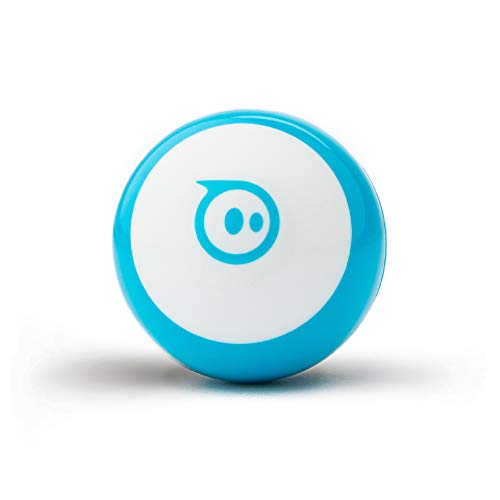
Sphero Mini uses the same Sphero Edu coding path as BOLT+ (Draw, Blocks, JavaScript) and doubles as a game controller in Sphero Play. It has the deepest owner history here: 4.6 on Amazon from 5,588 ratings.
Pros
- Same Sphero Edu coding path as BOLT+
- Sphero Play games keep it in use
- 4.6 on Amazon from 5,588 ratings, the deepest history here
- Cones and pins included for obstacle courses
Cons
- About 45 minutes of play per charge
- No Python and no screen
- Small parts under the shell
Skip it if battery life matters; Sphero lists about 45 minutes.
Ages and coding paths compared
| Robot | Ages | Coding | Screen needed | Battery | Amazon rating |
|---|---|---|---|---|---|
| Wonder Workshop Dash | 5 to 14 | Blockly, Wonder, Path | Yes (tablet, Chromebook) | About 5 h | 4.6 (2,260) |
| Sphero BOLT+ | Grades 3 to 10 | Draw, Blocks, Python, JavaScript | Yes | All day, wireless charging | 4.5 (65) |
| Botley 2.0 | 5 to 7 | Remote programmer, cards | No | Not published | 4.5 (1,901) |
| Sphero indi | Pre K to grade 3 | Color tiles, simple blocks | No (optional app) | All day per listing | 4.7 (86) |
| Makeblock mBot2 | 8 to 14+ | Blocks, Python | Yes | Up to 5 h | 4.4 (1,162) |
| LEGO CS & AI | Grades K to 8 | Icon and word blocks, Python package | Yes | Rechargeable | No rating yet |
| Sphero Mini | 8+ | Draw, Blocks, JavaScript | Yes | About 45 min | 4.6 (5,588) |
Screen free vs app based
Screen free robots (indi, Botley) make the program physical. A child lays out tiles or presses a sequence, then watches the robot carry it out and spots the bug. This is the right start for preschool and kindergarten, and it keeps coding time from becoming more tablet time.
App based robots (Dash, Sphero, mBot2) teach the same ideas with blocks you drag on a screen, then add variables, sensors and events. They need a phone, tablet, Chromebook or computer. Sphero Edu runs on iOS, Android, Windows, macOS, ChromeOS and in a browser, which matters if your only device is a school Chromebook.
What changed with LEGO in 2026
LEGO Education retired SPIKE Essential and SPIKE Prime. Sales ended June 30, 2026, no new features will be added, the SPIKE app keeps bug fixes until June 30, 2031, and spare parts stay stocked for 2 years after the last sale. FIRST LEGO League teams can keep using SPIKE through the 2027 to 2028 season.
The replacement is LEGO Education Computer Science & AI, sold in three kits:
| Kit | Price | Bricks | Hardware |
|---|---|---|---|
| K to 2 (45520) | $339.95 | 276 | Single motor, color sensor |
| 3 to 5 (45521) | $429.95 | 321 | Double motor, color sensor |
| 6 to 8 (45522) | $529.95 | 379 | Double and single motor, color sensor, controller |
Each kit is sized for 4 students. Coding happens in the Coding Canvas web or iOS app with icon and word blocks, plus a Python package for advanced learners. There are no student accounts, projects save locally, and LEGO says the AI vision feature does not save images. These prices are from LEGO Education's own store; the kits were not sold on Amazon at our check.
If you already own SPIKE, keep using it. It is supported for years. If you are buying new, the CS & AI kits are the LEGO path forward.
What it costs
BestBots does not list prices for robots sold on Amazon, which covers every pick except the LEGO kits. Check each pick's link for the current price. Costs that differ:
- Accessories: Dash's launcher, gripper and sketch kit are sold separately; Botley has add on sets; mBot2 expands with 30+ mBuild modules.
- Batteries: Dash's battery is not user replaceable. Rechargeable robots avoid buying AA cells.
- Multiple kids: Sphero says one BOLT+ supports up to 2 learners, and each LEGO kit is built for 4 students.
- Subscriptions: none of the coding picks here require one.
Red flags
- Unbranded "coding robots" with no app history. Many cheap listings ship a remote control toy with a few preset moves. Look for a named app with App Store ratings.
- Age claims that stretch. Botley lists ages 5 to 7; a 9 year old will be bored. BOLT+ lists grade 3 and up; a 5 year old will be frustrated.
- Assembly surprises. mBot2 takes about 30 minutes to build. That is the point for some kids and a dealbreaker for others.
- Discontinued kits sold as new. SPIKE kits will linger at resellers. They still work, but know that LEGO stopped selling them on June 30, 2026.
- Weak apps. The robot is only as good as its software. Makeblock's mBlock app rates 3.1 from 155 on the App Store, and Sphero Edu Jr rates 3.6 from 15.
How we picked
We compared the coding robots most often named in top search results and US retail listings in October 2026, using brand product pages for ages, coding languages, sensors and battery, and Amazon and App Store listings for ratings with counts. We did not test these robots. Ranking favors a long learning path, ease of starting and owner ratings, in that order. For robots built to play and talk rather than code, see Best Robot Toys for Kids. Scores follow /how-we-score.
Frequently asked questions
What is the best coding robot for kids?
Wonder Workshop Dash for most kids 6 to 11: no assembly, voice and sound reactions, about 5 hours per charge and a block coding path used in 40,000+ schools. For ages 5 to 7 without screens, pick Botley 2.0. For ages 8 to 16 who want Python, pick Sphero BOLT+.
What is the best coding robot for a 5 year old?
Botley 2.0 or Sphero indi. Both work without a screen. Botley uses a remote programmer and coding cards for ages 5 to 7; indi uses color tiles and suits pre K to grade 3.
What is the best coding robot for an 8 year old?
Dash if they want a robot with personality and block coding, Sphero BOLT+ if they are likely to move on to Python, and Makeblock mBot2 if they like building. All three list age 8 inside their range.
Is there a screen free coding robot?
Yes. Sphero indi reads color tiles placed on the floor, and Botley 2.0 is coded with a remote and cards. Neither needs a phone, tablet or app to start.
Is LEGO SPIKE discontinued?
Yes. LEGO Education retired SPIKE Essential and SPIKE Prime, with sales ending June 30, 2026. The SPIKE app keeps working with bug fixes until June 30, 2031, spare parts stay available for 2 years after the last sale, and the replacement is LEGO Education Computer Science & AI.
Do coding robots teach real programming?
The older picks do. Sphero BOLT+ runs Python and JavaScript, mBot2 runs Python, and the LEGO CS & AI kits add a Python package. Block coding on Dash or Sphero teaches the same logic (sequences, loops, conditions, variables) before syntax.
Do coding robots need Wi-Fi?
Mostly no. Dash, Sphero and Botley connect over Bluetooth or work standalone; Dash only needs internet to download apps. mBot2 adds optional Wi-Fi so several robots can share a program.
Are coding robots worth it?
For kids who learn by seeing something move, yes. A robot turns an abstract loop into a car that drives a square. The best value comes from robots with a long path, like Sphero BOLT+ (grades 3 to 10) or Dash (ages 5 to 14), so the toy is not outgrown in a year.